Swati Mishra

Updated last week

Efficient file recovery made simple

Recuva, developed by CCleaner, is a free data recovery tool that helps users restore lost or accidentally deleted files. It works with a wide range of file types and supports recovery from various storage devices. With Quick Scan for recently deleted files and Deep Scan for more difficult cases, it simplifies the recovery process.

Top Recommended Alternative

Recuva is known for its simple interface, low system resource usage, and beginner-friendly recovery wizard, making it a popular option for basic data recovery tasks. However, some advanced users note that it may be less effective for heavily damaged or corrupted drives than professional recovery software.

Guided recovery with flexible scan options

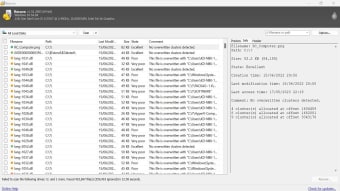
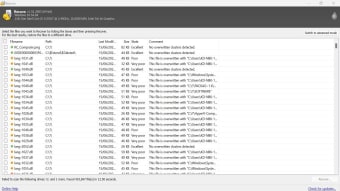
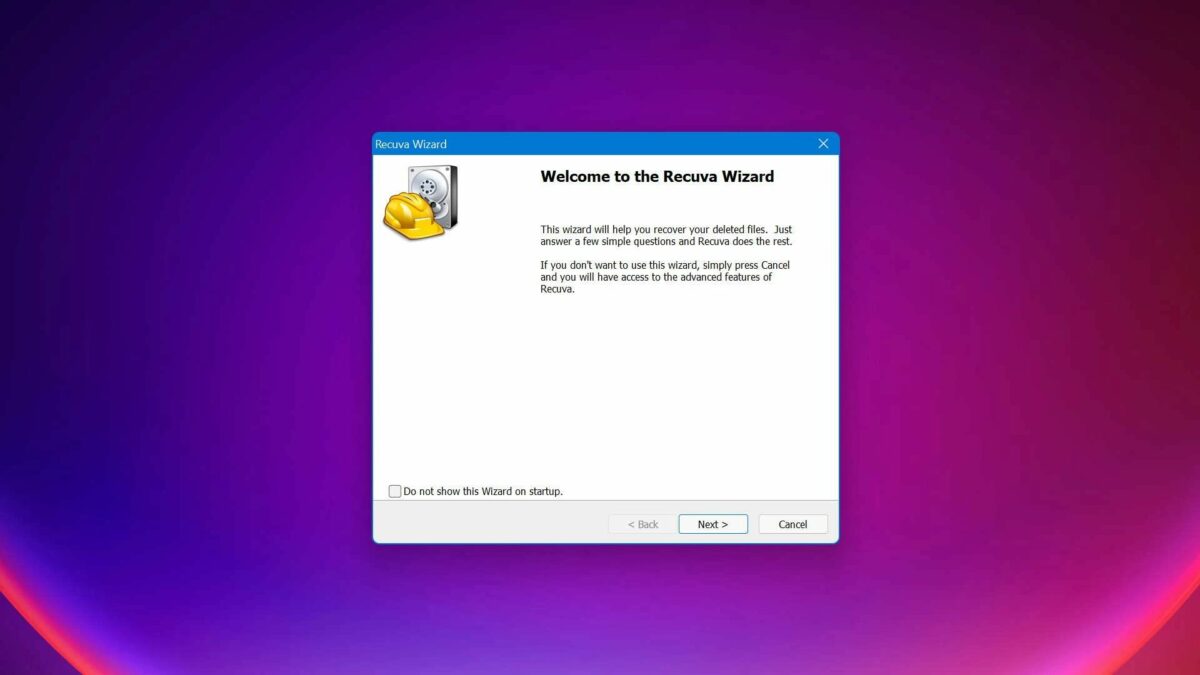
Recuva makes file recovery simple, even for beginners. Its step-by-step wizard guides users through choosing the drive or device where files were lost. Quick Scan checks for files that were recently deleted and are usually easy to restore, while Deep Scan performs a more thorough search across the drive to locate harder-to-find or fragmented data. These options give users clear choices depending on the situation.

This data recovery tool can recover many file types, such as documentsphotos, videos, music, and even emails. It works with a wide range of storage devices, including internal hard drivesexternal drivesUSB sticks, and memory cards. This versatility ensures that users can recover data from different scenarios, whether it's retrieving files from a computer or a removable device.

Moreover, it offers recovery from damaged or formatted drives, giving users practical options for restoring important data from common devices. This platform also includes a secure overwrite feature that uses industry- and military-standard deletion methods to permanently erase sensitive files and help prevent them from being recovered. While the free version provides core recovery tools, advanced features like virtual hard drive support, and priority support are available only in the Pro version.

A dependable solution for file recovery

Recuva is a free and user-friendly data recovery tool designed to restore accidentally deleted files from a variety of storage devices. It supports multiple file types and offers Quick Scan for recently deleted items and Deep Scan for more complex recovery cases. Known for its simple interface and low system impact, it is ideal for beginners. However, it may struggle with heavily damaged or corrupted drives compared to advanced professional tools.

Swati Mishra

Swati has over a decade of experience in content strategy, SEO, and editorial writing across technology and travel. She specializes in technical reviews, structured guidelines, and long-form pieces. Her work focuses on clear organization, search intent, and practical takeaways for readers evaluating software and digital tools.
  • Pros

    • Quick and Deep Scan options
    • Works with many devices
    • Supports multiple file types
    • Can recover formatted drives
  • Cons

    • Advanced features only in Pro version
 0/3

App specs

Also available in other platforms

Program available in other languages


User reviews about Recuva

3.8

24 reviews

Add review

Main reviews for you

  • Anonymous user

    Tutto di più c'è ogni tipo di download e poi, il sito e facile, utile, e intuitivo da usare.

  • Anonymous user

    Recuva was one of many that did not even detect my thumbdrive. I have found others that do.

  • Anonymous user

    Very good recovery of my mov files on my SD card . I thought they were lost forever..

  • Anonymous user

    I think it is life saver!! Yes, I would definitely recommended this app.

  • Anonymous user

    Fantastic software. Quick to install, simple to use and worked brilliantly!My Windows PC decided to updated as I was copying over some photos from my SD card, and I had deleted them on the SD card before realising that not all had been copied...(silly me!).2 mins of searching on Google and found Softonic website. 5 minutes to download and open ...job done!!!Super!

  • Anonymous user

    This is easy and best software ever without any key i love it

More

You may also like

Alternatives to Recuva

Explore Apps

Related Articles

Latest articles

Laws concerning the use of this software vary from country to country. We do not encourage or condone the use of this program if it is in violation of these laws. Softonic may receive a referral fee if you click or buy any of the products featured here.
Softonic

Is Recuva safe?

100/100

Score result: Clean

This file passed a comprehensive security scan using VirusTotal technology. It is safe to download.

  • Virus free
  • Spyware free
  • Malware free
  • Verified by Security Partners

    VirusTotal logo

Scan Info

Last scan
Wednesday, April 30, 2025
Scan provider
VirusTotal · Full report

File Integrity

File
rcsetup154.exe
SHA256
dbf0895d886b428c8465ee57aea56a7e7b6e4c003efd04ca00d216a2d821eac9
SHA1
de2cf03a1dbdbe1b02327e92aeaef96a583280df

Softonic security commitment

Recuva has been thoroughly scanned by our advanced security systems and verified by industry-leading partners. This file comes from the official developer and has passed all our security checks, showing no signs of viruses, malware, or spyware. For more information, visit our Security and Trust Center